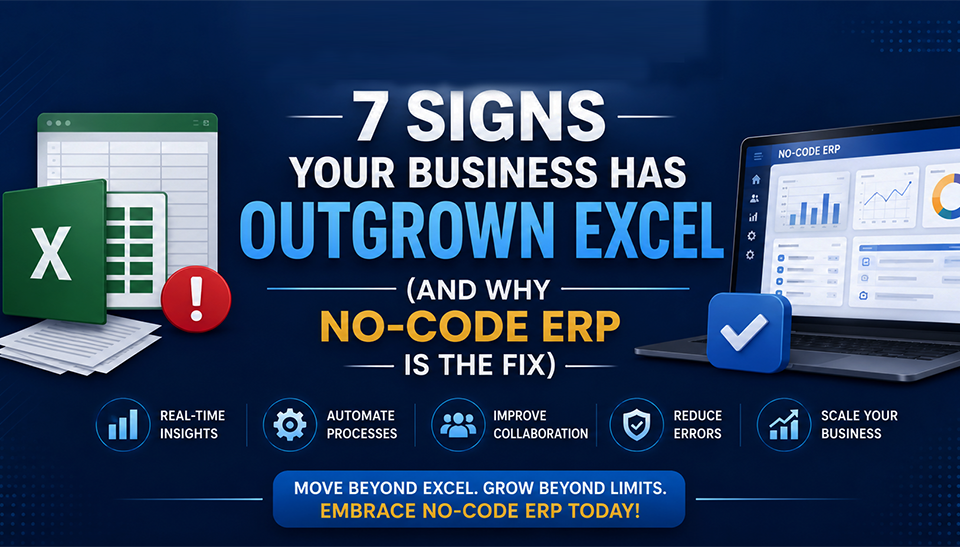

Excel is excellent when a business is small, transactions are manageable, and only a few people need access to operational data. However, as orders increase, teams expand, inventory becomes more complex, and management needs faster answers, spreadsheets can gradually become a business bottleneck.
The problem is not Excel itself. The real problem begins when a company starts using spreadsheets to perform the work of an ERP system. Multiple files, manual data entry, disconnected departments, formula errors, delayed reports, and uncontrolled versions can eventually make everyday operations harder than they need to be. Recent research on spreadsheet-dependent SMEs similarly highlights concerns around reporting inconsistencies, processing time, error exposure, and scalability as transaction volumes grow.
Therefore, if your business is growing but your systems still depend heavily on Excel, it may be time to ask a more important question: Has the business outgrown spreadsheets?
Here are seven practical signs that the answer may be yes—and why a no-code ERP can provide a more flexible path forward.
1. Your Teams Are Maintaining Multiple Versions of the Same Data
One of the earliest signs of spreadsheet trouble is simple: nobody knows which file is the latest one. For example, the sales team may maintain one customer spreadsheet, finance may have another, while operations keeps a separate order tracker. Meanwhile, management may receive a fourth version for reporting.
Consequently, the same customer, order, product, or payment can appear differently across departments. This creates more than inconvenience. It creates a data-control problem. When someone changes an Excel file locally and sends it through email or messaging applications, other employees may continue working with an older version. As a result, decisions are made using information that may already be outdated.
A modern ERP addresses this problem by creating a centralized source of business information. Instead of asking, “Which Excel file should I use?”, employees work from the same controlled data environment. A no-code ERP can go further because workflows, fields, dashboards, approvals, and business rules can be adapted to the company’s actual processes without rebuilding the entire system from scratch.
That becomes especially valuable when different departments need to work on the same transaction.
2. Manual Data Entry Is Consuming Too Much Employee Time
Another strong warning sign appears when employees spend hours copying information from one spreadsheet to another. A typical process might involve entering a sales order into Excel, copying details into an inventory sheet, updating a purchase tracker, sending information to finance, and then preparing another spreadsheet for management reporting.
Although every individual task appears small, the cumulative time can become significant. More importantly, manual entry increases the opportunity for mistakes. A misplaced decimal, incorrect product code, duplicated customer record, or forgotten formula can affect downstream calculations. Research into spreadsheet-centric SME financial operations also identifies manual processing as a challenge because increasing transaction volumes can make reporting more time-consuming and inconsistent.
An ERP changes the workflow fundamentally. Instead of entering the same information repeatedly, one transaction can trigger connected processes. For example, a confirmed sales order can update inventory, create relevant financial entries, initiate approval workflows, and contribute to management reports.
Therefore, employees spend less time moving data and more time acting on it.
3. Management Cannot Get Real-Time Business Information
If your management team frequently asks questions such as “What is our current stock?”, “Which customers have outstanding payments?”, “What is today’s sales position?”, or “How much are we spending on production?”, your spreadsheets may already be limiting decision-making.
The issue becomes even more serious when someone needs several hours—or several days—to prepare the answer. By the time a spreadsheet report reaches management, the underlying business situation may have changed. For a growing organization, delayed information can affect purchasing, production planning, cash flow management, sales decisions, and customer commitments.
An integrated ERP provides a different approach by connecting operational data across departments. Consequently, management can access dashboards, reports, KPIs, and transaction-level information from a common system. Modern ERP platforms are also increasingly moving beyond basic record keeping toward analytics, automation, and AI-supported decision-making. Industry analysis identifies AI, automation, cloud delivery, and integrated business processes as important directions in ERP modernization.
This is where the transition from spreadsheets to intelligent ERP becomes strategic rather than merely technological.
4. Inventory Problems Keep Appearing Despite Having an Excel Tracker
Many businesses believe they have inventory control because they maintain an Excel stock sheet. However, having a stock spreadsheet is not the same as having inventory visibility. If purchases, sales, returns, production consumption, warehouse transfers, damaged goods, and subcontracting are tracked separately, the spreadsheet may show a theoretical balance rather than the actual operational position.
For example, purchasing may believe that 1,000 units are available, while production has already allocated part of that quantity. Meanwhile, another warehouse may hold stock that the sales team cannot see. The result can be over-purchasing, stockouts, excess inventory, delayed production, or unnecessary working-capital pressure.
An ERP connects inventory movements with purchasing, sales, production, warehouses, and finance. Therefore, every transaction contributes to a consistent inventory picture. For manufacturing companies, this becomes even more important because inventory is connected to raw materials, production planning, bills of materials, wastage, work-in-progress, finished goods, and dispatch.
A no-code ERP can also adapt inventory workflows to industry-specific requirements instead of forcing every business into the same rigid process.
5. Your Business Depends on One “Excel Expert”
This is one of the most overlooked warning signs. Perhaps one employee knows all the formulas. Another person understands the macros. Someone else knows which sheet contains the final numbers. The business may continue operating smoothly—until one of those people is unavailable.
Suddenly, employees cannot understand the formulas, reports stop working, or nobody knows how a particular calculation was created. That creates operational dependency on individuals rather than systems. An ERP reduces this risk by moving critical business logic into structured workflows, permissions, validations, and standardized processes.
Consequently, the company does not have to depend on one employee’s personal knowledge of a complicated spreadsheet. Furthermore, role-based access can ensure that employees see and modify only the information relevant to their responsibilities. Bluechip Solutions, for example, describes its Auvit no-code platform as supporting role-based access control, audit logs, integrations, workflow automation, and scalable enterprise applications.
That creates greater continuity as the organization grows.
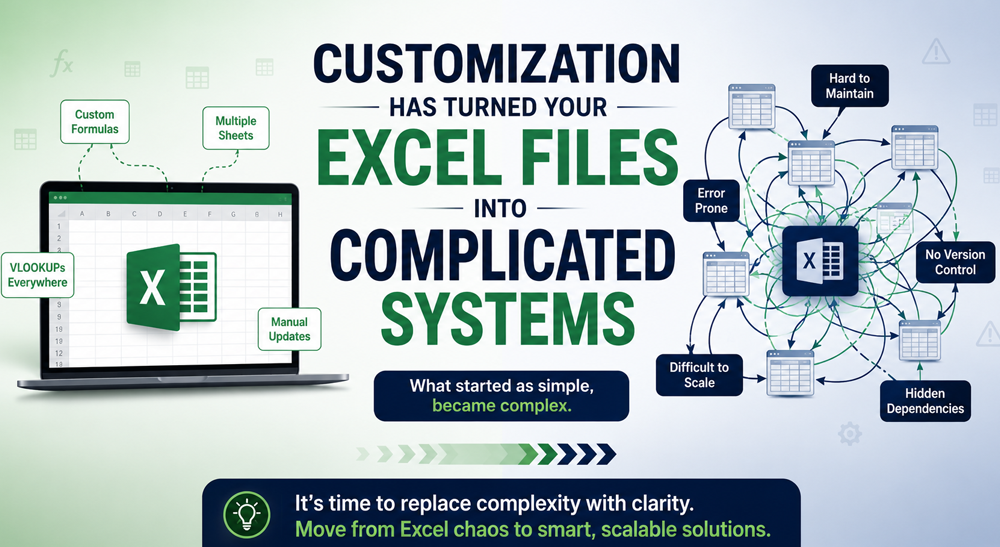
6. Customization Has Turned Your Excel Files Into Complicated Systems
Excel starts simply. Then someone adds a formula. Another person adds a macro. Someone creates another sheet. Then conditional formatting, lookup formulas, linked workbooks, VBA scripts, and additional reporting tabs appear. Eventually, the spreadsheet becomes so complicated that changing one part can unexpectedly affect another.
At that stage, Excel is no longer functioning as a simple productivity tool. It has effectively become an unofficial business application—with limited governance and increasing maintenance risk. This is precisely where no-code ERP can offer a practical alternative.
Traditional ERP systems can sometimes require significant development whenever a business needs a process changed. No-code platforms take a different approach by allowing workflows, forms, dashboards, approvals, and application components to be configured more rapidly. For example, Bluechip Solutions positions its Auvit Framework as a no-code platform for building web, mobile, data, ERP, and AI/ML-enabled applications while supporting reusable components and workflow automation.
Therefore, the objective is not simply to “replace Excel.” The objective is to create a business system that can evolve as the business evolves.
7. Your Business Is Growing Faster Than Your Processes
Perhaps the biggest sign of all is that revenue and operational complexity are increasing, but internal processes are still manual. You may have more customers, more products, more employees, more suppliers, more locations, and more transactions. Nevertheless, your teams may still be using spreadsheets for quotations, purchasing, inventory, production, accounting, payroll, reporting, and approvals.
That creates a dangerous gap between business growth and process maturity. At some point, adding more people does not solve the problem. Instead, it can make the problem larger because every additional employee creates more data, more coordination, and more opportunities for inconsistency.
A scalable ERP closes this gap by connecting departments through common workflows and data. More importantly, a no-code ERP can make the transition less rigid because the system can be adapted as requirements change. Bluechip Solutions states that its Auvit platform is designed to support scalable ERP and enterprise applications, including integrated data, workflows, analytics, and AI/ML capabilities.
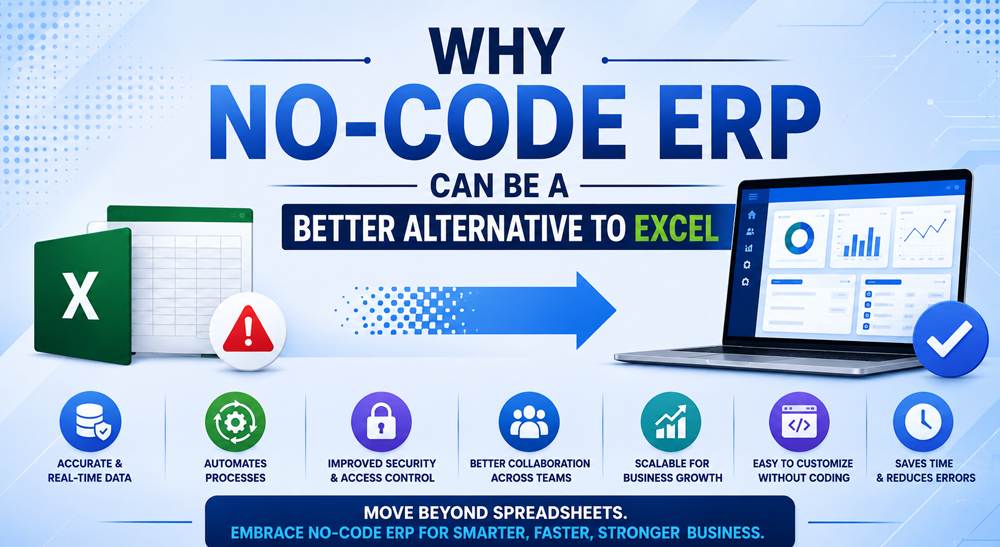
Why No-Code ERP Can Be a Better Alternative to Excel
Moving from Excel to ERP does not necessarily mean buying a massive system that takes years to implement. No-code ERP platforms are designed to reduce development complexity by using visual configuration, reusable components, workflow designers, integrations, and configurable business processes.
That matters because growing businesses rarely have perfectly static requirements. A company may start with accounting and inventory. Later, it may need production planning. Then, it may require supplier management, mobile approvals, CRM integration, advanced reporting, or AI-powered forecasting.
A rigid system can make every change expensive. A flexible no-code platform, however, can provide a foundation that evolves with those requirements. The real value is therefore not simply automation. It is adaptability.
How AI Can Make the Move Beyond Excel More Valuable
Replacing Excel with ERP is only the beginning. The next opportunity is using business data intelligently. AI and machine-learning models can be applied to areas such as demand forecasting, anomaly detection, inventory analysis, customer trends, financial insights, and operational reporting—provided that the underlying business data is accurate and properly structured.
For instance, instead of merely showing historical sales, an intelligent ERP environment can help identify unusual sales patterns or support demand-planning decisions.
However, AI should not be treated as a magic button. Poor-quality or disconnected data can produce poor insights. Therefore, the strongest AI strategy begins with disciplined data capture, integrated workflows, permissions, validation, and reliable transaction history.
Current research on AI-powered ERP adoption among SMEs highlights opportunities in forecasting, automation, business intelligence, and personalization, while also noting challenges involving integration, skills, security, and implementation cost. That is why ERP modernization and AI readiness should be considered together.
Excel vs No-Code ERP: When Should You Make the Change?
Excel still has a place in business. It remains useful for ad-hoc analysis, temporary calculations, small datasets, financial modelling, and personal productivity. However, it becomes risky when Excel turns into the central system controlling multiple departments.
If employees constantly reconcile files, management waits for reports, inventory numbers are questioned, approvals happen through messages, or one employee is responsible for maintaining critical formulas, your organization may already be paying the hidden cost of spreadsheets. At that point, the question should not be “Can Excel still handle it?”
Instead, ask: “Is Excel helping us grow, or are we building our growth around Excel’s limitations?”
A Practical Way to Move From Excel to ERP Without Disrupting the Business
The safest approach is not to replace every spreadsheet overnight. First, identify the business processes that create the most operational friction. Next, map where data enters the business, where it is duplicated, where approvals occur, and where errors usually happen. Then, prioritize the processes that have the greatest financial or operational impact.
For example, a manufacturing company might begin with sales orders, inventory, purchasing, production planning, and finance. A distributor may prioritize sales, stock, purchasing, receivables, and warehouse management. Once the core workflow is stable, additional processes can be integrated progressively.
This approach makes ERP implementation easier for employees because they can see exactly how the new system solves problems they already experience.
The Bottom Line: Your Business Has Not Failed at Excel—It Has Simply Outgrown It
Excel was probably part of your company’s growth for a good reason. It was accessible, inexpensive, flexible, and familiar. However, growth changes the requirements. When spreadsheets begin creating duplicate data, manual work, delayed reporting, inventory uncertainty, employee dependency, complicated processes, and scalability problems, continuing with Excel can become more expensive than moving beyond it.
A no-code ERP provides a practical middle ground: the integration and control of ERP combined with the flexibility businesses often value in spreadsheets. Most importantly, the goal should not be to implement technology for its own sake. The goal should be to give employees cleaner processes, give managers reliable information, and give the business the flexibility to scale without multiplying administrative work.
If your organization is experiencing several of these seven signs, it may be time to evaluate your current systems.
Ready to find out whether your business has outgrown Excel?
Book a free ERP consultation with Bluechip Solutions and discuss your current workflows, reporting challenges, inventory processes, and automation requirements with an ERP specialist. Bluechip Solutions provides ERP, no-code automation, and AI/ML-enabled enterprise application capabilities through its Auvit Framework.
You can also turn this article into a practical decision-making exercise by creating an “Excel-to-ERP Readiness Assessment” covering data duplication, manual processes, reporting delays, inventory visibility, approvals, scalability, and integration requirements.
The right ERP decision does not start with software. It starts with understanding where your business is losing time, visibility, control, and growth capacity.
Frequently Asked Questions About Moving From Excel to ERP
How do I know if my business has outgrown Excel?
If multiple departments maintain separate spreadsheets, employees repeatedly enter the same data, management struggles to obtain real-time reports, inventory numbers are unreliable, or critical processes depend on complex formulas, your business may have outgrown Excel.
Is ERP better than Excel for a growing business?
Excel is useful for individual analysis and smaller processes. However, an ERP is generally better suited to growing businesses that need centralized data, workflow automation, permissions, integrated departments, real-time reporting, and scalable processes.
What is a no-code ERP?
A no-code ERP uses visual configuration and reusable components to build or customize business applications and workflows with minimal traditional programming. This can make it easier to adapt the system as business requirements change.
Can a no-code ERP replace Excel completely?
Not necessarily. Excel can remain useful for analysis and temporary calculations. The better approach is to move critical operational processes and controlled business data into ERP while retaining spreadsheets where they genuinely add value.
Can AI be integrated with ERP?
Yes. Depending on the platform and implementation, AI and machine learning can support forecasting, anomaly detection, analytics, automation, and decision support. However, reliable AI depends on accurate, structured, and well-integrated business data.
How long does it take to move from Excel to ERP?
Implementation time varies according to company size, number of departments, integrations, data quality, customization requirements, and implementation approach. A no-code platform can potentially accelerate configuration and customization, but the actual timeline should be established after a process and requirements assessment.
Is no-code ERP suitable for manufacturing companies?
Yes. No-code ERP can be particularly useful for manufacturing businesses that require configurable workflows across sales, purchasing, inventory, production, quality, subcontracting, warehouses, and finance. Industry-specific ERP solutions can further reduce the need to force manufacturing processes into generic workflows.
What should a company do before choosing an ERP?
Start by documenting the problems you want to solve. Identify manual processes, duplicate data, reporting gaps, approval bottlenecks, inventory issues, integration requirements, user roles, and future growth requirements. Then evaluate ERP platforms based on how effectively they address those real business problems rather than simply comparing feature lists.