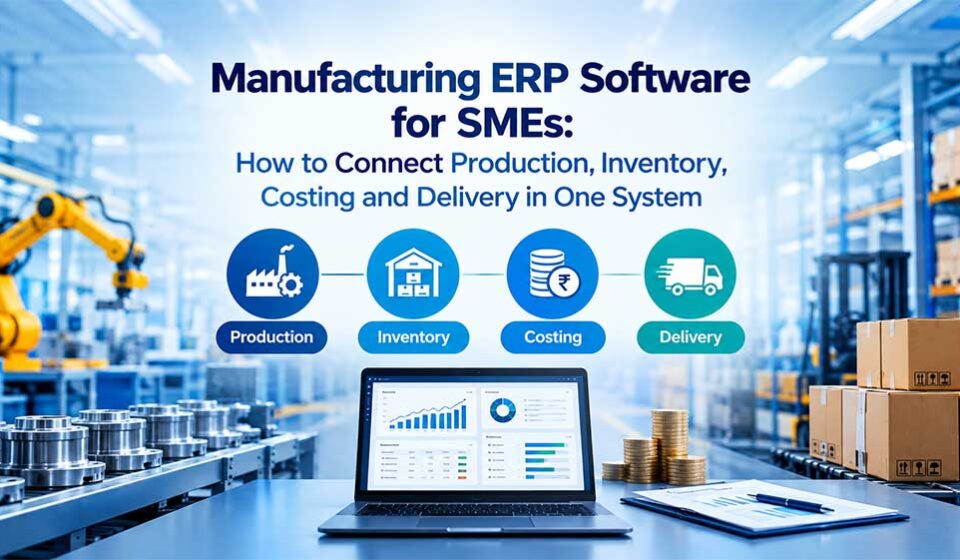
Manufacturing ERP Software for SMEs: How to Connect Production, Inventory, Costing and Delivery in One System

A manufacturing order can appear profitable on paper and still lose money on the factory floor. A material shortage delays production, an outdated bill of materials increases consumption, an unexpected machine stoppage disrupts scheduling, and a dispatch delay puts the customer relationship at risk. Meanwhile, the finance team may not discover the actual cost overrun until the month-end report arrives.
These problems often share one underlying cause: production, inventory, purchasing, costing and sales operate with disconnected information. Manufacturing ERP Software helps small and medium-sized enterprises (SMEs) connect these business functions through a unified system. Instead of chasing spreadsheets, calling the warehouse for stock updates or waiting for manual reports, managers can use connected operational data to coordinate decisions across the business.
For manufacturers looking to increase output without losing control over costs, an integrated ERP system offers a practical route to better planning, stronger financial visibility and more reliable customer deliveries.
Why Manufacturing SMEs Need an Integrated ERP System
Many growing manufacturers begin with spreadsheets, accounting software and separate applications for inventory or production. Initially, these tools may seem affordable and easy to manage. However, as order volumes, product variations, suppliers and production lines increase, maintaining consistent information becomes more difficult.
For example, the sales team may promise a delivery date based on an outdated stock report. At the same time, the production manager may schedule a job without knowing that another order already requires the same machine. The purchasing team then places an urgent order for materials, increasing procurement costs and putting the original delivery commitment at risk.
Consequently, managers spend more time reconciling information than improving operations. Manufacturing ERP Software addresses this challenge by connecting departments to shared business records and workflows. When an authorised user updates an order, records material consumption or completes a production operation, the relevant information can flow into connected processes according to the system’s configuration.
For SMEs, the objective is not simply to digitise existing paperwork. Instead, it is to build a dependable operating process that connects customer demand with production capacity, material availability, actual costs and delivery commitments.
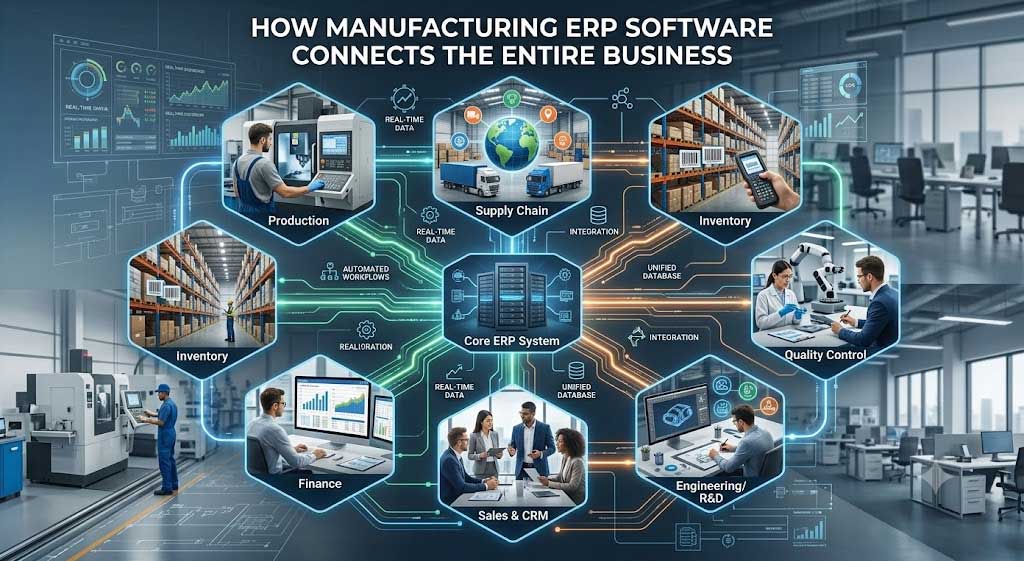
How Manufacturing ERP Software Connects the Entire Business
1. Production Planning: Turn Customer Orders into Achievable Schedules
Unplanned production changes can create a chain reaction across a factory. A delayed job may occupy a machine longer than expected, postpone another order and force the dispatch team to revise delivery commitments. Manufacturing production planning software helps managers coordinate work orders, material requirements, available capacity and delivery priorities. Rather than scheduling jobs using incomplete information, planners can assess which orders require attention and whether the necessary resources are available.
A manufacturing ERP system can connect production schedules with bills of materials, inventory records and purchasing workflows. As a result, planners can identify potential shortages before releasing work orders and compare planned production with actual progress. For instance, if an order requires a component that has not arrived, the team can evaluate alternative schedules or follow up with the supplier before the shortage stops production.
Business outcome: Better coordination, fewer avoidable scheduling conflicts and improved visibility into order progress.
2. Inventory Management: Prevent Material Shortages Without Overloading the Warehouse
Inventory creates a difficult balancing act for SMEs. Excess stock ties up working capital, increases storage requirements and may become obsolete. Insufficient stock, on the other hand, interrupts production and creates expensive last-minute purchasing decisions.
An integrated inventory management ERP helps manufacturers connect stock availability with sales orders, bills of materials, purchase orders and production requirements. For example, when a confirmed production order requires specific quantities of raw materials, the system can help planners compare those requirements with available and allocated stock. Depending on the configuration, it can also support material requirement planning, replenishment alerts, batch or serial tracking and purchase recommendations.
Furthermore, accurate inventory transactions help purchasing teams distinguish between material that physically exists and material already committed to other jobs. This distinction matters because warehouse stock does not automatically mean that a production order can use it. Manufacturers should also establish clear processes for recording receipts, material issues, returns, scrap and stock adjustments. Otherwise, even a capable ERP system may display unreliable balances.
Business outcome: More dependable material planning, improved stock control and fewer production interruptions caused by avoidable shortages.
3. Manufacturing Costing: Understand Where Profit Disappears
A product’s selling price does not reveal its actual profitability. Material price changes, excess consumption, production rework, labour requirements, machine usage and subcontracting expenses can all affect the final margin. Manufacturing cost control software helps finance and production teams connect operational transactions with financial records. By maintaining accurate bills of materials, recording material consumption and capturing relevant production expenses, manufacturers can develop a clearer picture of product and order costs.
Consider a manufacturer that estimates the material cost of an order at ₹5 lakh. During production, the team consumes additional components and performs rework. If those transactions never reach the costing process, management may calculate profitability using incomplete figures.
An integrated ERP can help compare estimated and actual costs when users record the necessary transactions and configure the appropriate costing rules. Managers can then investigate variances, identify recurring waste and review whether pricing assumptions remain realistic. The system should also support traceability between production records and financial entries so that teams can investigate discrepancies rather than simply adjust figures at month-end.
Business outcome: More informed pricing, stronger margin visibility and better control over production expenditure.
4. Shop-Floor Monitoring: Identify Delays Before They Become Missed Deliveries
Production reports lose value when they reach decision-makers too late. If a supervisor discovers a bottleneck only at the end of a shift, the business may already have lost valuable production time. Manufacturing ERP Software can connect work orders, operation status, material issues, completed quantities and quality records. Depending on the implementation, workers can update progress through digital terminals or mobile interfaces, while integrations can capture selected data directly from machines.
Managers can then compare planned output with actual production, investigate delayed jobs and identify recurring stoppages. However, genuinely real-time machine monitoring requires suitable equipment connectivity, data integration and a reliable process for capturing operational events.
For example, if one production stage repeatedly falls behind schedule, managers can investigate machine availability, operator allocation, material readiness or quality-related rework. They can then address the underlying constraint rather than repeatedly changing delivery dates.
Business outcome: Faster operational decisions, clearer production accountability and earlier intervention when jobs fall behind schedule.
5. Quality Management: Reduce Rework, Scrap and Repeat Defects
Quality problems affect more than the rejected product. They consume materials, occupy production capacity, delay dispatch and may lead to customer complaints or costly returns. Manufacturing management software can connect inspection records with incoming materials, production batches, work orders and finished goods. Depending on the process, the system can record inspection results, non-conformances, corrective actions and approval status before products move to the next stage.
For example, if an inspection identifies a recurring defect in a component, the quality team can investigate the affected supplier lot or production operation. Traceable records help the business determine which orders require inspection, rework or containment.
In addition, quality checkpoints can prevent products from moving to dispatch before the required approvals are complete. The value depends on consistent data entry and clearly defined inspection procedures. Software supports quality management, but it cannot replace appropriate standards, trained personnel or physical testing.
Business outcome: Better defect traceability, more controlled production release and improved visibility into the causes of quality losses.
6. Order Fulfilment: Connect Production Commitments with Customer Deliveries
Customers judge manufacturers by whether they deliver the correct products in the agreed quantities and within the promised timeframe. Nevertheless, delivery performance becomes difficult to manage when sales, production, inventory and dispatch maintain separate records.
ERP software for manufacturing companies connects customer orders with material availability, production status, finished goods and dispatch activities. Consequently, sales teams can make more informed commitments, while operations managers can identify orders that need immediate attention.
For example, if a production order falls behind schedule, the team can assess its effect on the delivery commitment before the dispatch date arrives. If finished goods become available earlier than expected, warehouse and logistics teams can prepare the shipment with better coordination. An integrated system can also connect dispatch records and invoices with the original customer order, reducing repeated data entry and improving order traceability.
Business outcome: Better order visibility, more coordinated dispatch operations and fewer avoidable surprises for customers.
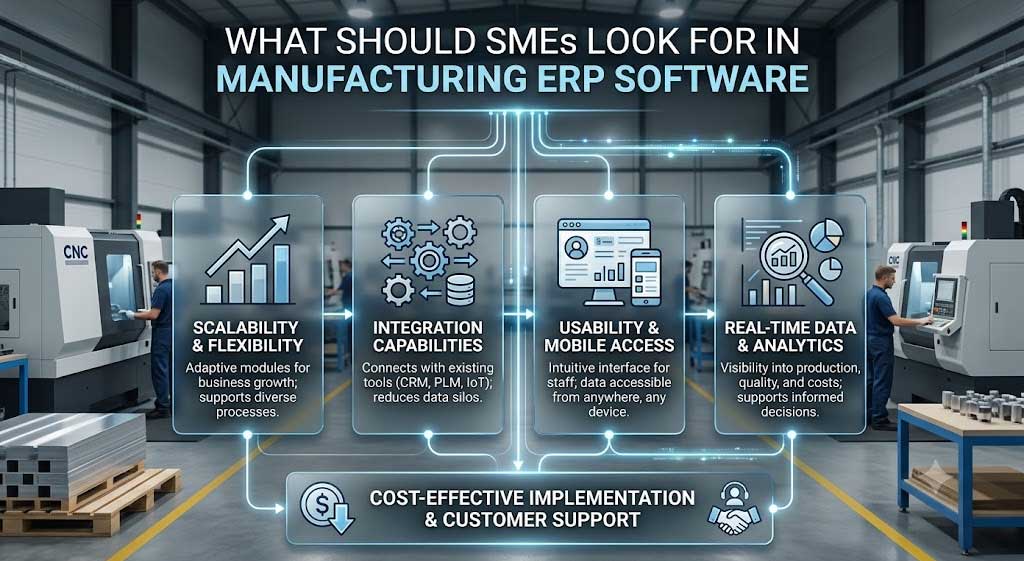
What Should SMEs Look for in Manufacturing ERP Software?
Choosing the right system requires more than comparing feature lists. Manufacturers should evaluate how well the software supports their actual workflows, product structures, reporting requirements and future growth.
Integration Across Departments
The ERP should connect production, inventory, procurement, sales, costing and finance through consistent records. Before purchasing, ask the vendor to demonstrate a complete workflow from customer order to material planning, production completion, costing and dispatch.
Flexibility for Existing Manufacturing Processes
Manufacturers often have unique approval rules, subcontracting arrangements, quality checks and reporting requirements. A configurable platform can help accommodate these differences without forcing every department into an unsuitable process.
Accurate Reporting and Operational Visibility
Evaluate whether the system can show planned versus actual production, stock availability, material consumption, order status and cost variances. Also confirm how frequently the system updates these figures and which transactions or integrations support them.
Security, Deployment and Scalability
Assess role-based access, audit trails, backup procedures, integration capabilities and deployment options. The system should also accommodate additional users, products, warehouses and business locations as the company expands.
Implementation and Ongoing Support
Even capable software can underperform when teams receive inadequate training or the implementation ignores existing processes. Ask about data migration, user training, testing, support arrangements and the vendor’s approach to handling changes after go-live.
How AI and Automation Can Improve Manufacturing ERP
Once a manufacturer maintains reliable operational data, automation and AI can support more informed decisions. For example, rule-based workflows can notify purchasing teams when stock falls below configured thresholds or escalate overdue approvals. Analytics can highlight recurring production delays, unusual consumption patterns or orders with rising costs.
AI-based forecasting may help estimate demand, anticipate selected equipment failures or identify patterns in production performance. However, the usefulness of these capabilities depends on historical data quality, suitable integrations, model validation and the nature of the manufacturing process.
Manufacturers should therefore distinguish between available ERP functionality and future possibilities. Before investing in an AI-enabled platform, ask the vendor to demonstrate the specific use case, explain its data requirements and show how users can verify the resulting recommendations.
A practical starting point is to automate one measurable problem, such as delayed purchase approvals, repetitive reporting or recurring material shortages. Once the business establishes reliable data and measurable results, it can expand automation with greater confidence.
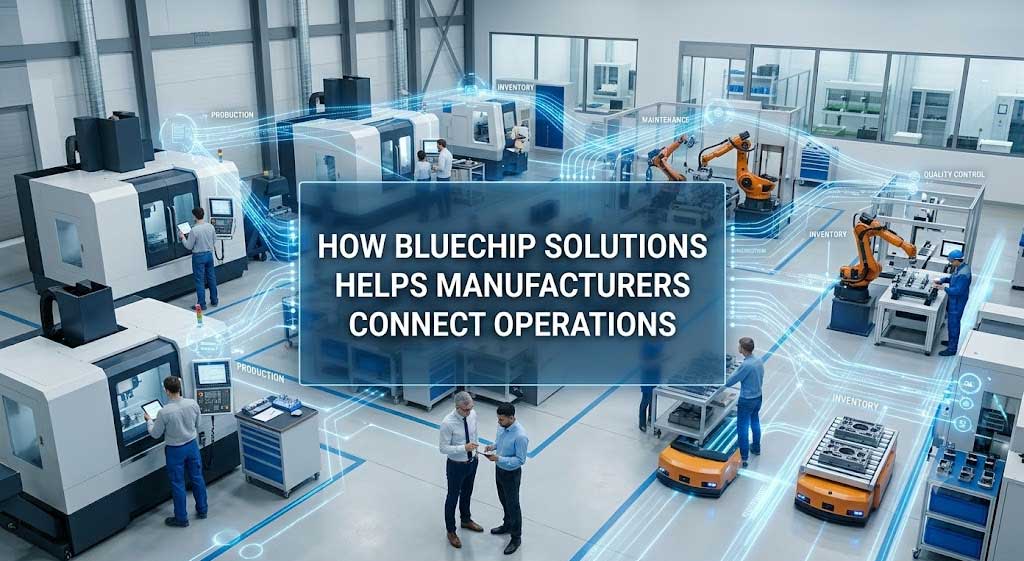
How Bluechip Solutions Helps Manufacturers Connect Operations
Bluechip Solutions PPlus Pvt. Ltd. provides manufacturing ERP solutions designed to connect operational processes and support business growth. Its ProfitPlus discrete manufacturing solution brings together manufacturing and material requirement planning, inventory, quality management and related business workflows. The solution supports cloud or on-premises deployment, subject to implementation requirements.
Built on the AUVIT No-Code Business Process Automation platform, the approach also supports configurable workflows and business-process customisation. This can help manufacturers align the ERP with their operating requirements rather than relying entirely on rigid, standard processes.
For SMEs evaluating Manufacturing ERP Software, the priority should be to understand how the system will handle their own products, bills of materials, work orders, stock transactions, costing and delivery processes. Explore Bluechip Solutions’ Discrete Manufacturing ERP to review the manufacturing capabilities and discuss your requirements with the team.
Ready to identify operational gaps in your factory? Book a free ERP demo and ask for a walkthrough using a representative manufacturing order. See how production, inventory, costing and dispatch can work together before making your decision.
Frequently Asked Questions About Manufacturing ERP Software
What is Manufacturing ERP Software?
Manufacturing ERP Software is an integrated business management system that connects production planning, inventory, procurement, costing, quality, sales and finance. It helps manufacturers coordinate workflows, maintain consistent records and make decisions using connected operational information.
Which Manufacturing ERP Software is suitable for SMEs?
The right manufacturing ERP for SMEs should match the company’s production method, product complexity, inventory requirements, budget and growth plans. Manufacturers should prioritise practical workflow fit, integration, reporting, implementation support and the ability to adapt as operations change.
How does manufacturing ERP reduce production costs?
A manufacturing ERP can help control costs by improving material planning, tracking actual consumption, identifying production variances, reducing duplicate data entry and supporting better inventory decisions. The actual savings depend on the manufacturer’s processes, data accuracy and how consistently teams use the system.
Can Manufacturing ERP Software integrate inventory, production and accounting?
Yes. An appropriately configured manufacturing ERP can connect material movements, production transactions, customer orders and financial records. However, the available integrations and the degree of automation vary by product, deployment and implementation scope.
How long does manufacturing ERP implementation take?
Implementation time depends on the number of modules, complexity of manufacturing workflows, data migration, integrations, customisation and user readiness. A focused deployment may take less time than a multi-site transformation. Ask the vendor for a phased project plan with clear milestones, testing requirements and acceptance criteria.
Does Manufacturing ERP Software support AI and automation?
Some platforms support workflow automation, analytics and AI-enabled capabilities. Manufacturers should verify which features are available, whether additional integration or licensing is required, and how each capability addresses a specific operational problem.
Connect Your Factory Operations with the Right Manufacturing ERP
Disconnected production, inventory, costing and delivery processes can hide inefficiencies until they affect profitability or customer relationships. Manufacturing ERP Software gives SMEs an opportunity to connect these processes, improve operational visibility and make better-informed decisions.
The strongest implementation begins with measurable business problems, reliable data and clearly defined workflows. By choosing a system that fits existing operations and supports future requirements, manufacturers can build a more controlled, responsive and scalable business.
Take the next step with Bluechip Solutions. Request a free manufacturing ERP demo to explore how ProfitPlus can support your production planning, inventory management, cost control and delivery coordination.