
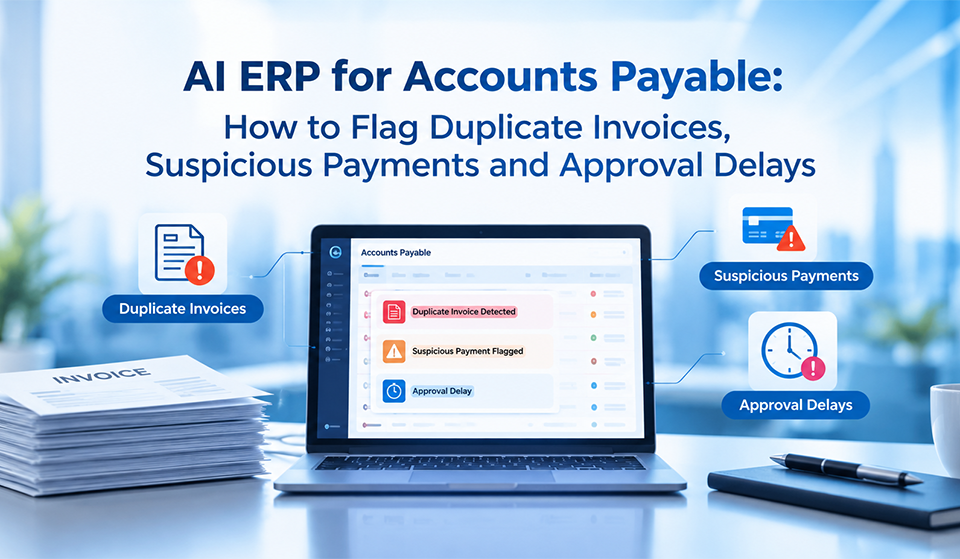
AI ERP for Accounts Payable: How to Flag Duplicate Invoices, Suspicious Payments and Approval Delays

An invoice can look correct, carry a familiar vendor name and still create a financial problem. It may duplicate an invoice already entered into the system, contain a changed bank account number, exceed an approved purchase order or remain stuck in an approval queue until the payment deadline passes. For growing businesses, these issues can quietly increase costs, weaken financial controls and damage supplier relationships.
AI ERP for finance helps address these challenges by connecting invoice processing, purchase order matching, vendor records, payment monitoring and approval workflows within an integrated business system. Instead of relying entirely on manual checking, finance teams can use automated rules, anomaly detection and risk-based alerts to identify transactions that require attention.
For CFOs, finance managers and accounts payable teams, the objective is not simply to process invoices faster. It is to understand which invoices are safe to process, which require further verification and where approval delays are affecting cash flow.
Why Traditional Accounts Payable Processes Miss Critical Errors
Many companies already use accounting software or an ERP system. However, invoice processing can remain partly manual when supplier documents arrive through email, purchase orders are maintained separately and approvals depend on individual employees.
Consequently, an accounts payable executive may enter an invoice without knowing that a similar document was processed by another branch. A finance manager may approve a payment without seeing a recent change in the vendor’s banking details. Meanwhile, an invoice awaiting departmental confirmation can remain unnoticed until a supplier follows up.
The scale of the problem is reflected in recent industry research. Tipalti’s 2026 Global Finance Outlook Index, based on 2,116 finance professionals, reports that 66% of respondents experience more manual work, while respondents spend an average of 10 hours per week on manual accounts payable tasks. The findings indicate that automation adoption alone does not eliminate operational friction.
Therefore, businesses need more than digital invoice storage. They need connected financial data, consistent verification rules, timely exception alerts and accountable approval processes.
How AI ERP for Finance Detects Duplicate Invoices Before Payment
Duplicate invoices are not always identical copies. A vendor may resubmit an invoice after receiving no confirmation, submit the same bill through two channels or issue a document with a slightly different invoice reference. Additionally, different branches may record the same supplier transaction independently.
A basic duplicate check that compares only invoice numbers can miss these variations.
AI-based invoice matching goes beyond invoice numbers
An AI-enabled ERP workflow can compare invoice attributes such as vendor identity, invoice number, invoice date, purchase order number, amount, tax value and line-item details. Depending on the system, it can also extract information from PDF invoices or scanned documents using optical character recognition (OCR).
For example, imagine that a supplier submits an invoice for ₹1,48,000 with reference INV-2048. A few days later, another invoice arrives for the same amount, but the reference appears as INV2048 and the document date differs by one day.
An exact-match rule might overlook the second invoice. However, a matching process that considers multiple attributes can flag it for review. The accounts payable team can then compare the supporting documents and determine whether the invoice is a duplicate, a legitimate adjustment or a separate transaction.
Importantly, a matching alert is not proof of fraud. The system should identify suspicious similarities while allowing an authorised employee to verify the circumstances.
Connect invoice matching with purchase orders and goods receipts
Duplicate detection becomes more effective when the ERP connects invoices to approved purchase orders and goods receipt records.
For example, a manufacturing company may receive raw materials in two deliveries against one purchase order. If a supplier invoices the full order amount twice, the system should identify the discrepancy between the billed quantities, received materials and approved order.
A three-way matching workflow compares the purchase order, goods receipt and supplier invoice. Where quantities, prices or other configured conditions do not agree, the ERP can hold the invoice for review rather than allowing it to move directly to payment. As a result, finance teams gain a stronger verification process before committing company funds.
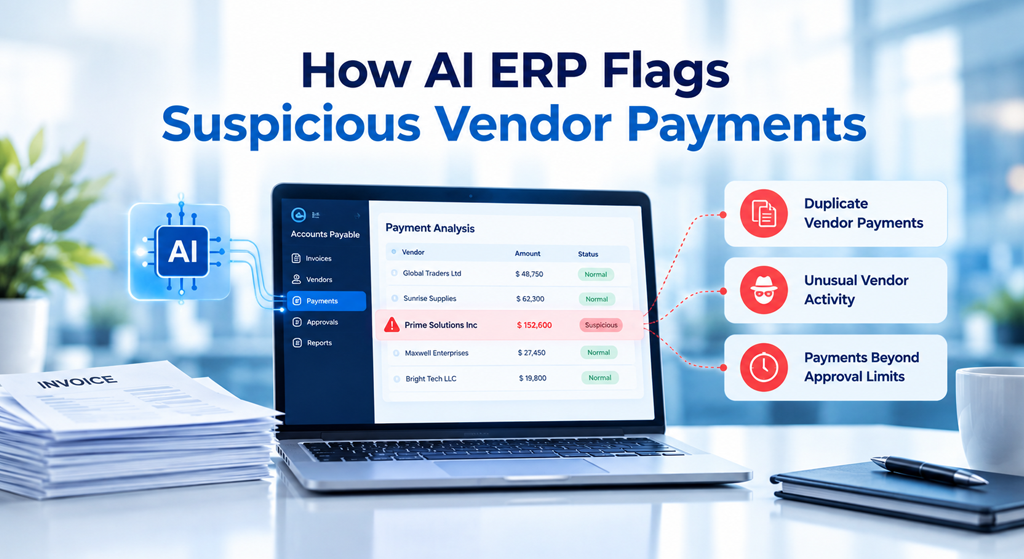
How AI ERP Flags Suspicious Vendor Payments
Duplicate invoices represent only one source of payment risk. Incorrect bank details, unusual payment amounts, unexpected vendor activity and unauthorised changes to supplier records can also expose a business to financial loss. Traditional processes may depend on an employee noticing something unusual during a routine review. By contrast, AI ERP for finance can combine vendor information, transaction history and configurable business rules to highlight exceptions earlier.
Identify unusual payment patterns using anomaly detection
An anomaly detection model evaluates transactions against relevant historical patterns or defined business rules. Depending on the available data and configuration, it may flag an invoice that is substantially larger than the vendor’s usual bills, an unexpected change in payment frequency or several invoices submitted just below an approval threshold.
Consider a vendor that normally invoices ₹40,000 to ₹60,000 per month but suddenly submits a bill for ₹4,80,000. The larger amount may be legitimate because of a bulk order. Nevertheless, it deserves additional verification if the purchase order, delivery records or historical pattern do not support the change.
The ERP can assign an exception category, display the reasons for the alert and route the transaction to an authorised reviewer. The benefit is prioritisation. Rather than checking every invoice with the same level of scrutiny, finance teams can focus first on transactions that show meaningful warning signs.
However, anomaly detection does not independently establish fraudulent intent. Effective controls combine model-generated alerts with purchase documentation, vendor confirmation and human review.
Protect vendor master data and bank account changes
Vendor master data contains information that directly affects payment accuracy, including supplier identity, tax details, payment terms and banking information. If these records are outdated, duplicated or changed without appropriate verification, even an otherwise valid invoice can result in a payment error.
An ERP can enforce role-based permissions for vendor creation and modification. In addition, a workflow can require independent approval whenever a bank account number, beneficiary name or other sensitive payment detail changes. For higher-risk changes, the business can require verification through a previously established, trusted contact channel rather than relying solely on the contact information supplied with the change request.
Furthermore, the system should retain an audit trail showing who requested the change, who approved it and when it became effective. This gives finance managers a clearer record to investigate if a payment later appears suspicious.
Stop Approval Bottlenecks Before They Delay Payments
Even when an invoice is accurate, slow approvals can create late-payment charges, disrupt supplier relationships and prevent finance teams from forecasting cash requirements reliably. The underlying problem is often a lack of visibility. An invoice may be waiting for a department head, a budget owner or a project manager, yet the accounts payable team may not know who needs to act next.
Use intelligent approval routing and escalation
An integrated ERP can route invoices according to vendor category, purchase order, department, cost centre, amount and approval authority. Once an invoice meets the configured conditions, the workflow sends it to the appropriate approver.
If the invoice remains pending beyond the defined service-level target, the system can send reminders and escalate the task to an authorised alternate or manager. Higher-value invoices may require additional approval stages, while routine invoices within established limits can follow a simpler route.
For instance, an invoice awaiting approval for 48 hours could trigger a reminder. If it remains unresolved after the company’s defined escalation period, the workflow could notify the department head and update the finance team’s pending-approval dashboard. These thresholds should reflect the organisation’s actual policies rather than arbitrary defaults.
Give finance managers real-time approval visibility
A useful accounts payable dashboard should show more than the total number of unpaid invoices. It should distinguish invoices awaiting approval, invoices with matching discrepancies, invoices approaching their due dates and invoices blocked by missing information.
With this visibility, finance managers can identify recurring bottlenecks. If invoices repeatedly wait for the same department, management can investigate workload, unclear approval responsibilities or unnecessary approval layers. Consequently, the organisation can improve its process instead of repeatedly asking employees to chase individual invoices by email.
How AI ERP Uses Exception-Based Workflows to Improve AP Control
Automating every invoice in the same way is rarely the most effective approach. Some transactions match all configured conditions and can move through a standard approval process. Others contain discrepancies that require investigation. Exception-based workflows separate these situations.
When an invoice matches its purchase order, goods receipt, vendor record and configured approval conditions, the ERP can move it to the next authorised stage. However, if the invoice contains a potential duplicate, an unexpected amount, an unverified vendor change or missing supporting documents, the workflow can place it on hold and assign it to the appropriate reviewer.
AI models can support this process by extracting invoice data, identifying unusual patterns, classifying exceptions and prioritising cases for review. Rule-based controls then enforce approval limits, segregation of duties and payment authorisation. For reliability, the organisation should define what happens when information is incomplete, model confidence is low or an integration fails. Such transactions should enter a review queue rather than bypassing essential controls.
This combination of AI-assisted detection and policy-driven automation gives finance teams a practical way to improve efficiency without surrendering financial oversight.
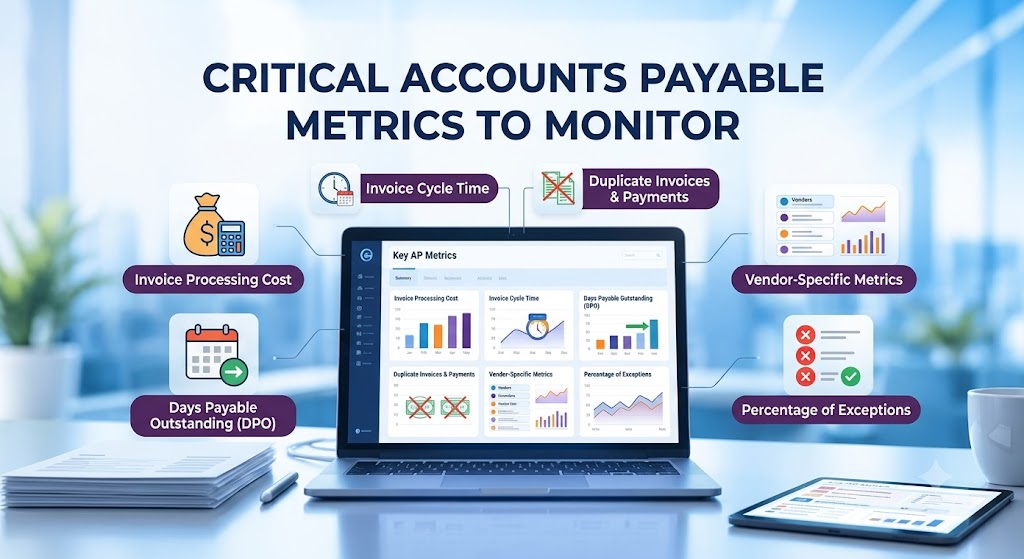
Which Accounts Payable Metrics Should Businesses Monitor?
To establish whether AI ERP for finance is delivering measurable value, businesses need a baseline before implementation and consistent reporting afterwards.
Invoice processing time indicates how long an invoice takes to move from receipt to the next defined milestone. Approval cycle time reveals whether delays originate with individual approvers or particular departments. Duplicate invoice alerts show how frequently the system identifies potentially repeated submissions, while confirmed duplicate payments measure actual payment incidents.
Businesses should also monitor exception resolution time, invoices paid after their due dates, manual data correction rates and the proportion of invoices processed without manual intervention.
For example, if approval delays decrease but exception resolution time increases, the organisation may have improved routing while leaving its investigation process under-resourced. Similarly, a rise in duplicate alerts does not necessarily indicate worsening performance; it may mean the system is detecting issues that were previously overlooked.
Therefore, management should evaluate these metrics together and compare results with the original baseline. Actual savings and improvements should be calculated from the company’s own operational data rather than assumed from vendor marketing claims.
What to Check Before Choosing an AI ERP for Finance
The right platform should fit the company’s purchasing process, vendor structure, financial controls and existing technology environment. Start by confirming whether the system supports invoice data extraction, configurable matching tolerances, duplicate detection, purchase order and goods receipt integration, vendor master controls, approval escalation and audit-ready transaction histories.
Next, evaluate how it handles exceptions. Finance teams should be able to understand why an invoice was flagged, correct inaccurate extracted information, record a review decision and prevent unauthorised payment release. Integration is equally important. If supplier data, invoice records and payment status remain disconnected across multiple systems, automation may simply move manual work from one department to another.
Finally, assess access permissions, data security, implementation effort, reporting flexibility and the ability to adapt workflows when business rules change. Run a pilot using representative invoices, including genuine exceptions, before expanding the solution across the organisation.
How Bluechip Solutions Can Help Businesses Modernise Finance Operations
Bluechip Solutions helps businesses explore integrated ERP capabilities through its Auvit No-Code ERP and ProfitPlus ERP offerings. For organisations seeking better visibility across financial and operational processes, an ERP evaluation can help identify opportunities to connect transaction records, approval responsibilities, business rules and management reporting.
The appropriate configuration depends on the product edition, implementation scope and specific requirements. Therefore, businesses should verify the availability of invoice matching, duplicate detection, vendor-change controls and AI-based anomaly detection during a product demonstration rather than assume that every capability is included by default.
If your finance team spends too much time checking invoices manually, chasing approvers or reconciling disconnected records, start by mapping your current accounts payable workflow. Identify where errors occur, which approvals take the longest and what information is missing when payment decisions are made.
Request an ERP consultation with Bluechip Solutions to discuss your finance automation requirements and determine which workflow improvements are suitable for your business.
Explore Bluechip Solutions or schedule a consultation.
Frequently Asked Questions
What is AI ERP for finance?
AI ERP for finance combines enterprise resource planning with AI-assisted data extraction, anomaly detection and workflow automation. It can help finance teams review invoices, identify unusual transactions and prioritise exceptions while retaining established approval and payment controls.
Can AI ERP detect duplicate invoices automatically?
Depending on its capabilities and configuration, an AI-enabled ERP can compare invoice numbers, vendor details, amounts, dates, purchase orders and other attributes to identify potential duplicates. A finance professional should verify flagged cases before rejecting an invoice or blocking a legitimate payment.
How does AI ERP identify suspicious payments?
The system can evaluate payment amounts, vendor history, changes to supplier records and configured risk rules to highlight unusual transactions. The exact detection capability depends on available data, model design and system configuration. Alerts should lead to verification, not an automatic conclusion that fraud has occurred.
How can ERP software reduce invoice approval delays?
ERP workflows can assign invoices to the correct approvers, send reminders, escalate overdue tasks and show pending approvals through dashboards. This helps finance managers identify bottlenecks and resolve delays before they affect supplier payments.
Is AI-based accounts payable automation suitable for small and medium-sized businesses?
Yes. SMEs can begin with practical improvements such as invoice capture, purchase order matching, approval routing and duplicate checks. They can expand into more advanced anomaly detection when sufficient reliable data, integration capabilities and internal controls are available.
Does AI replace accounts payable employees?
AI can reduce repetitive data entry and manual checking, but human oversight remains important for exceptions, vendor verification, disputed invoices and payment authorisation. The goal is to help finance professionals spend less time on repetitive administration and more time on financial control and decision-making.
Final takeaway: AI ERP for finance can help businesses identify potential duplicate invoices, investigate unusual vendor payments and resolve approval bottlenecks earlier. The strongest results come from combining reliable data, integrated workflows, measurable performance indicators and accountable human review.